

Certificates
ulams issues a PDF certificate automatically when a learner finishes a course, that is, when every active topic of the course is complete. The certificate is made from a PDF template designed in the admin panel and rendered by the platform’s PDF service.
How a course gets its certificate
Section titled “How a course gets its certificate”When a learner finishes a course, ulams looks for a PDF template for the “course finished” event:
- the template assigned to this course in its Certificates tab, if there is one;
- otherwise the default template for that event, if one exists. New installations get a default certificate (A4 landscape with a QR code).
The certificate is stored together with the template as it was at that moment, so later changes to the template do not change certificates already issued.
Pick the template for a course
Section titled “Pick the template for a course”- Make sure the template exists. Certificate templates are created and designed by someone with template permissions in Configuration → Templates (see Templates): a PDF template for the course-finished event, designed in the visual pdfme designer.
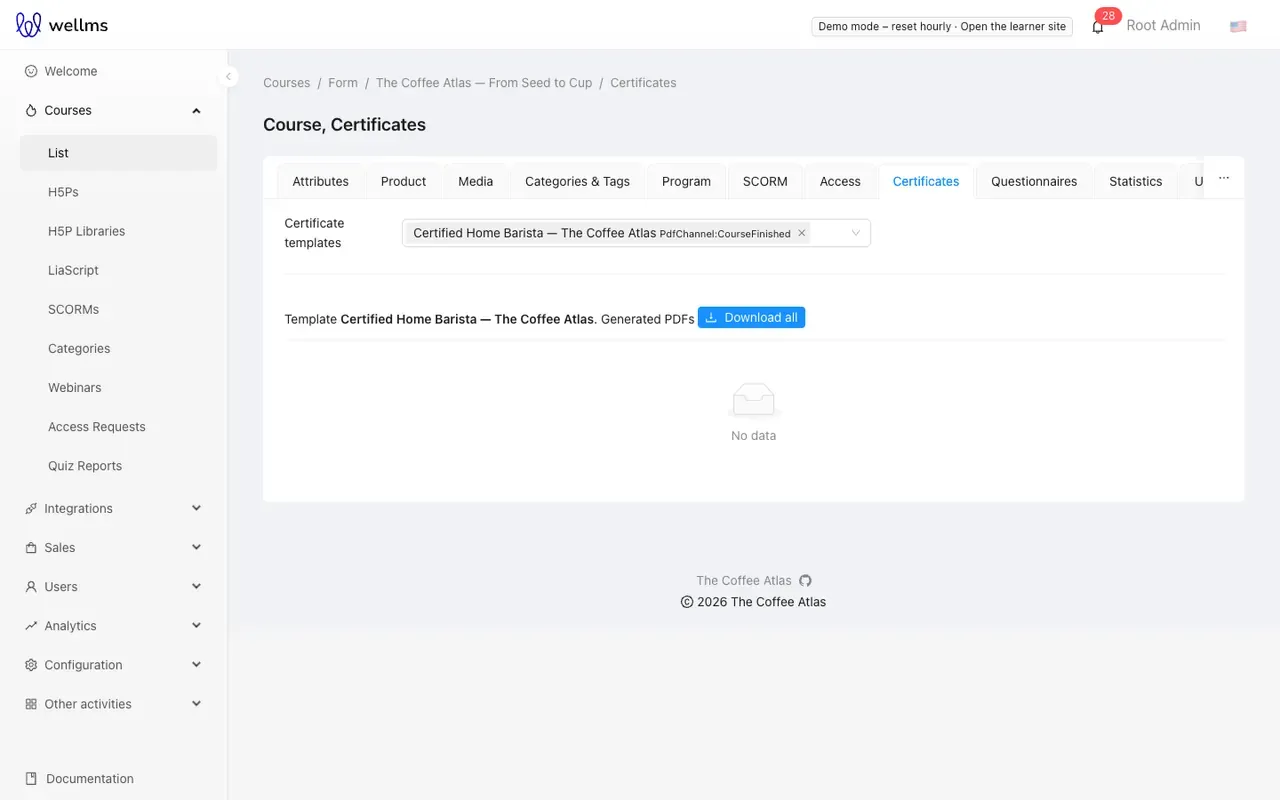
- Open the course editor’s Certificates tab (
/courses/list/<id>/certificates). - Select one or more templates in the selector.
Below the selector, each selected template lists the Generated PDFs: one row per learner who received the certificate, with Download per certificate and Download all PDFs as a zip.
What a certificate can show
Section titled “What a certificate can show”In the designer, a field named after a variable is filled with its value, and variables typed into
fixed text (Issued by @VarAppName) are replaced in place. The course-finished event provides,
among others:
| Variable | Value |
|---|---|
@VarUserName |
The learner’s name |
@VarCourseTitle, @VarCourseSubtitle, @VarCourseId |
The course |
@VarCourseActiveFrom, @VarCourseActiveTo |
The course dates |
@VarCourseCategories, @VarCourseCategoriesWithBreadcrumbs |
The course categories |
@VarContinuousCertNumber, @VarAnnualCertNumber |
Running certificate numbers |
@VarCertificateId, @VarCertificateVerifyUrl |
A unique ID and a verification address (encoded as a QR code in the default template) |
@VarAppName, @VarToday |
The platform name and the date |
The designer lists the full set for the event. A course-finished template must contain
@VarCourseTitle in its title section to be valid.
Learners
Section titled “Learners”In the legacy learner app, learners download the PDF from the course finish page and from their
profile’s course list. The reference front shows a certificate preview on the course finish page
(/learn/<course id>/finish); a PDF download there is not built yet. See the
learner guide.