

Course page
/courses/<id> shows one course of the tenant. It is public: anyone can open it without
signing in. An unknown course id shows the 404 page.
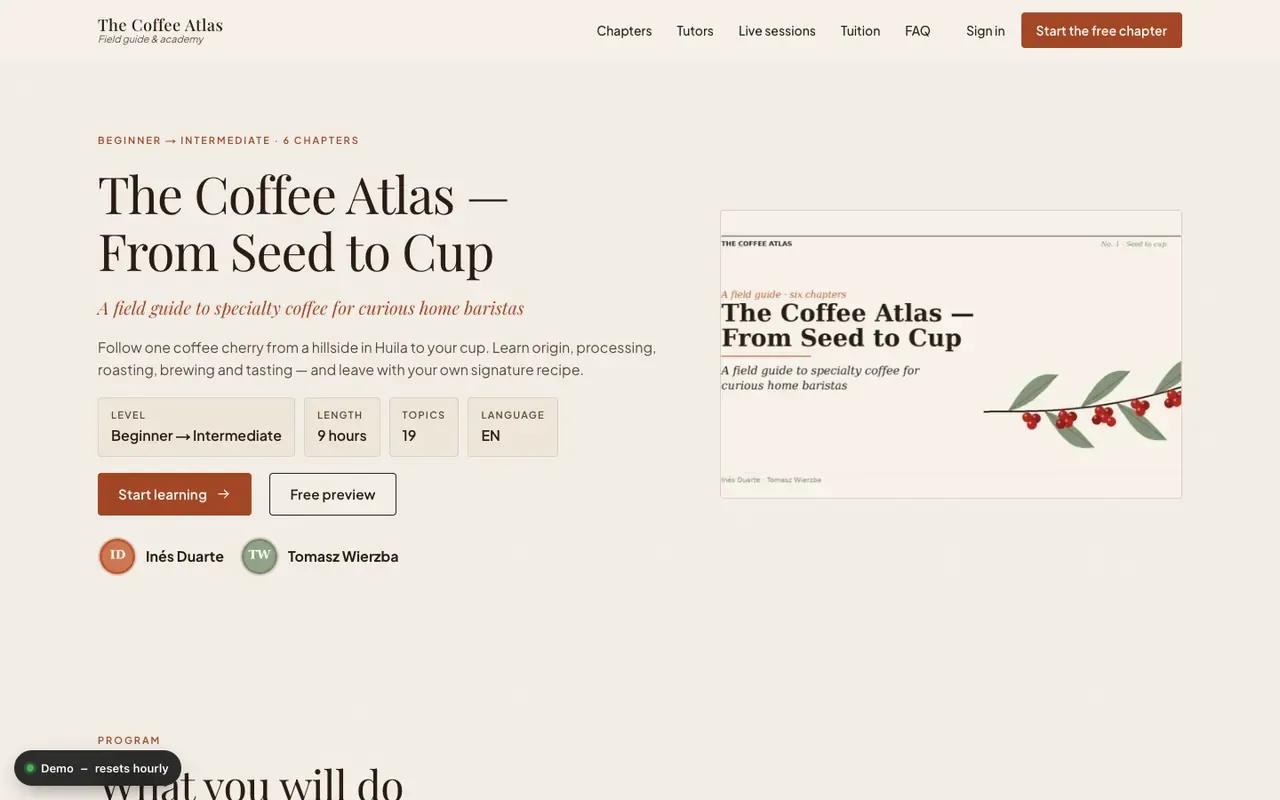
What is on the page
Section titled “What is on the page”- Header. Level and number of lessons, title, subtitle, summary, up to six facts (level, length, language and others from the course), the course image and up to four tutors. The buttons are “Start learning” (or “Continue learning”) and, when the course has a free-preview topic, “Free preview”.
- Program. Every lesson with its topics, their format icons and durations. Each academy
styles it differently: a folio for
coffee, a timeline foroncall, a mission map (“Your mission map”) fornightsky, concentric orbits forgravity, an atlas table of contents forpoland, a timeline forulam. Lessons are called chapters, modules, missions or notebooks. - About the course. The course description, rendered from Markdown.
- Enrol card. See below.
The site header and footer are the same as on the landing page.
Progress for returning learners
Section titled “Progress for returning learners”If the learner has a session cookie, the page asks the API for the learner’s program and progress (and gives up after 0.9 seconds, rendering the public page instead). When the learner has access to the course:
- the header shows the completion percentage;
- the primary button reads “Continue learning” and opens the first topic that is not completed;
- topics in the program show whether they are done.
A learner without a session sees the public page; “Start learning” opens /learn/<id>, which
signs the visitor in (as the demo student on demo tenants) and redirects to the right topic. See
course player.
What changed since you were here
Section titled “What changed since you were here”For a returning learner of a course that is kept in sync with its sources, a What changed in this course list appears above the program. Every entry says its status in words and links to the lesson where it still exists:
- Updated since you completed it, 9 October 2026 (a lesson changed after you completed it);
- New since you finished (a lesson was added after you finished the course; your completion stays);
- Retired lesson, no longer part of the course (a lesson you had completed was removed; it stays in your history and is not linked);
- The source of this lesson changed on …; an update is under review (only when the author turned the marker on).
The list is hidden when there is nothing to show, and it never changes your progress. The lesson page has the matching notice and the “Mark as reviewed” button, see course player.
Enrol card
Section titled “Enrol card”The card titled “Demo access” lists the number of lessons and topics, the formats used, “Progress saved as you go” and “Every lesson open in this demo”. It shows the course price, or the first shop product’s price, and an “Open the course” button that goes to the player.
A signed-in learner without access to the course can still open its free-preview topics; see preview mode.