

Account
/account (“My learning”) is the learner’s own page. The site header links to it as “My
learning” once the learner has a session. Like the player, it needs a session: without one the
server signs the visitor in as the demo student, or redirects to /login?next=/account.
Profile
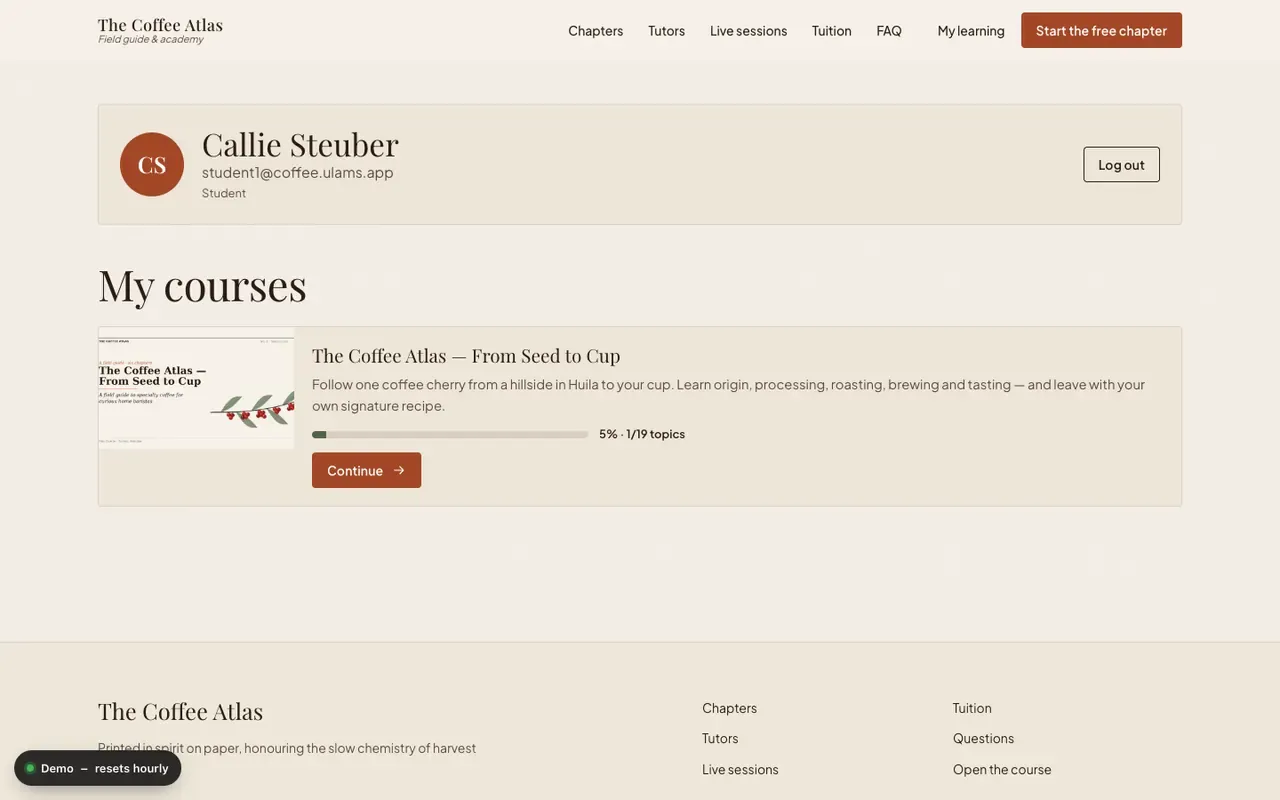
Section titled “Profile”A card with the learner’s initials, full name, e-mail and roles, and a “Log out” button (see signing out). The profile is read-only here.
My courses
Section titled “My courses”The learner’s courses as returned by GET /api/courses/progress, each with:
- the course image, title (linking to the course page) and summary;
- a progress bar with the percentage and the number of completed topics, e.g.
40% · 6/15 topics; - a button that opens the first topic not yet completed: “Start” at 0%, “Continue” in between and “Review” at 100%.
With no courses the page says “No courses yet.” and links to the academy. If the API does not answer, it says the courses could not be loaded and offers to try again.
My tokens
Section titled “My tokens”Tokens let the ulams command line, scripts and AI agents act as the signed-in
person. A token can never do more than the account itself, and the person chooses how much less
(scoped tokens).
- List. Every token with its name, what it may do (for example “Change: courses · Read: reports”), the
creation date (and “command line login” when it came from
ulams login --device), the expiry, when it was last used and a status: Active, Expired or Revoked. - Create. A name, what the token may do (Read only, Author, Automation, Learning, or everything the account can do), how long it stays valid (7, 30, 90 or 365 days; 90 by default) and who uses it. The new token is shown once, in a field that can be selected and copied, together with how to use it. After the next page load it cannot be shown again.
- Revoke. The “Revoke” button of a token stops it at once. The page confirms with “Token revoked”.
The section is plain HTML forms, so it works without JavaScript. It is checked with axe (WCAG 2.2 AA) in every state, and each control stays clear of the fixed demo badge on small screens.
What is not here yet
Section titled “What is not here yet”The reference frontend’s account page has no profile editing, password change, certificates,
orders, subscriptions, notifications, tasks, or notes and bookmarks. The
legacy React app has all of these under /user/....